
Collective Booking: Dynamic Team Assignment
Summary:
How to use Dynamic Team Assignment for Collective Booking
Collective booking calendars enable you to schedule meetings involving multiple team members, by integrating the individual team members’ availability you simplify collaborative endeavors and minimize the risk of them missing important information or needing to reschedule because their time wasn’t as clear.
However, there might be times when you need to quickly remove an appointment from someone’s calendar, or maybe you have a big team that doesn’t always need to be present but you don’t want to configure a calendar for every team combination. The Dynamic Team Assignment allows you to achieve those things!
To use it go inside your Calendars tab and click the +New button to add an appointment.
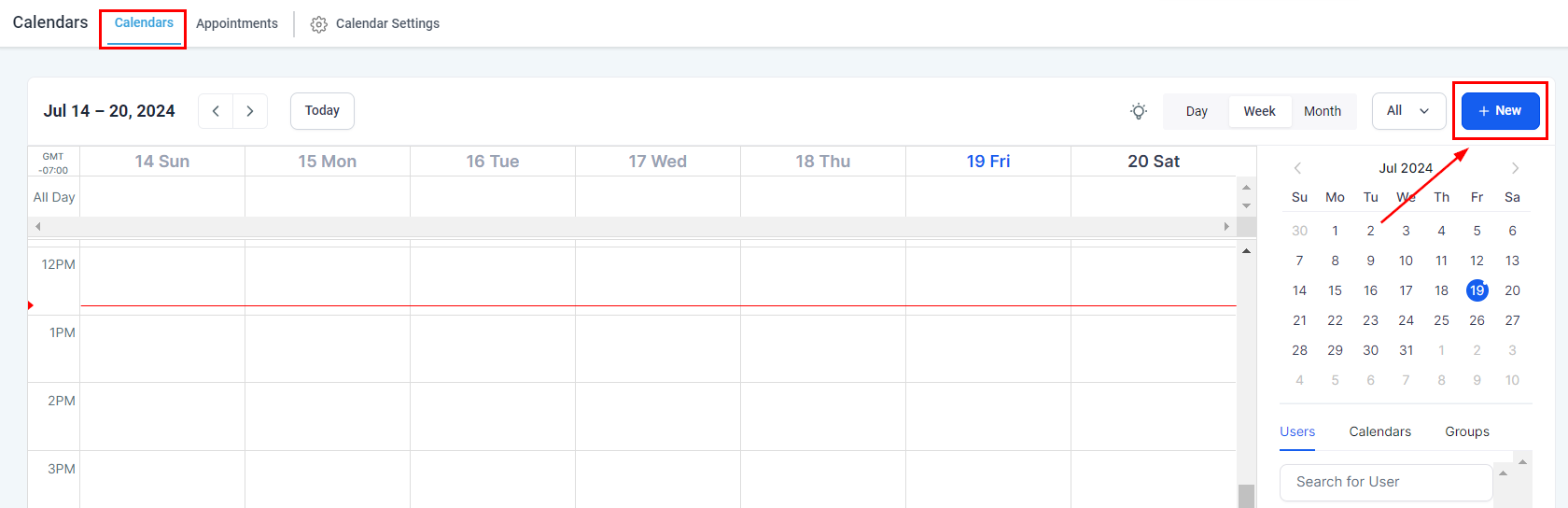
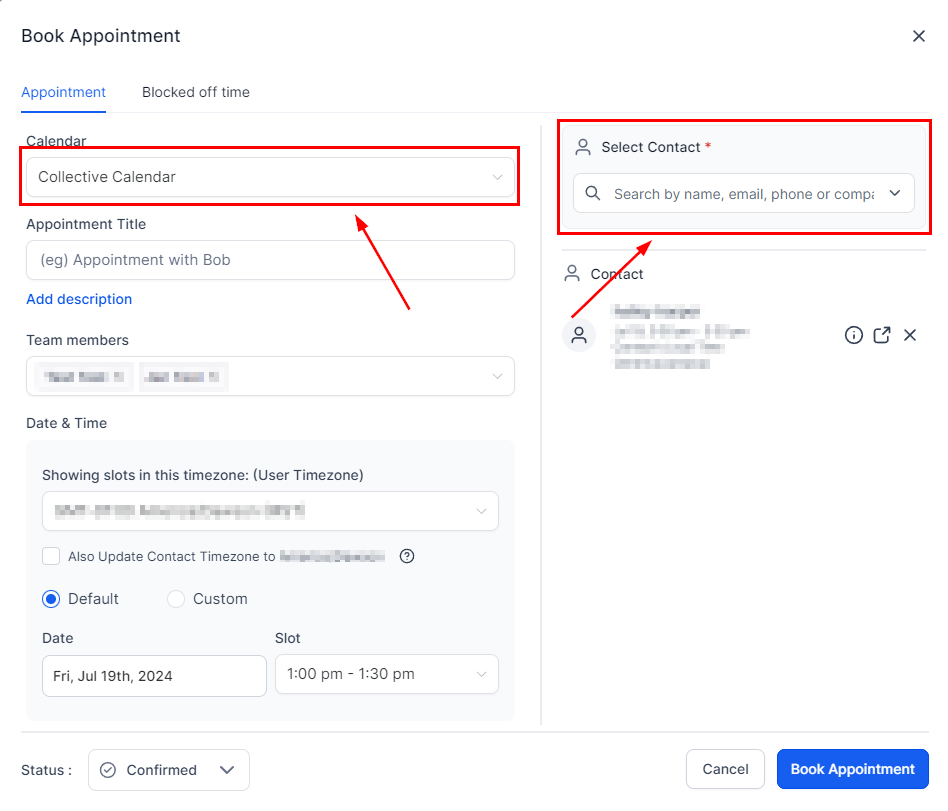
Select the desired Collective Booking calendar and contact for the appointment.
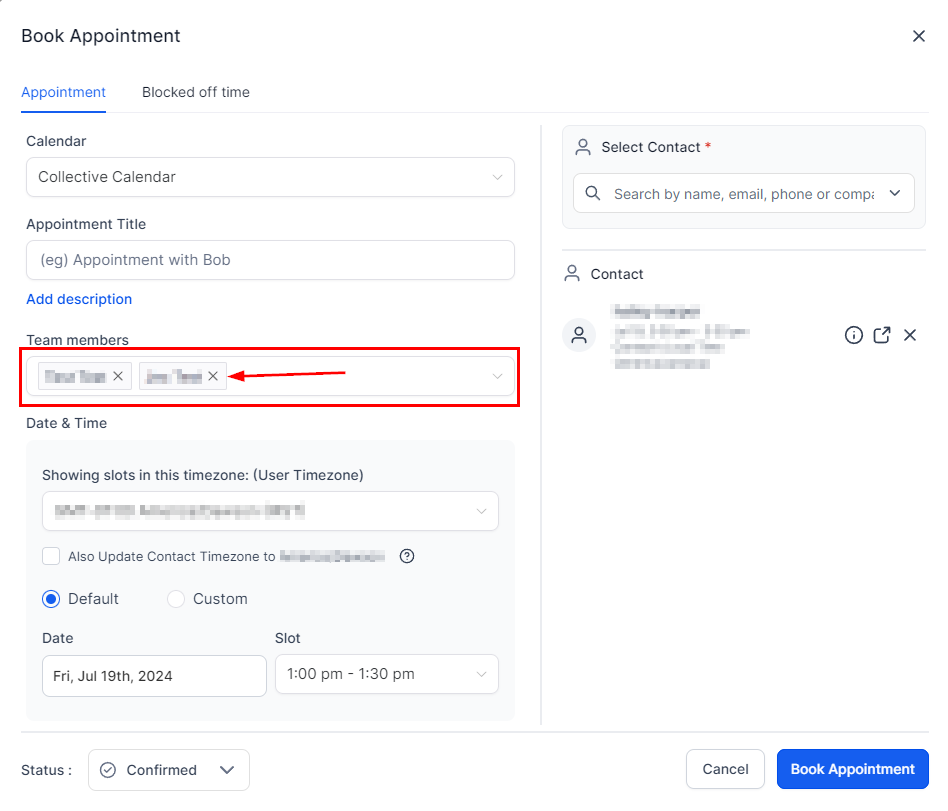
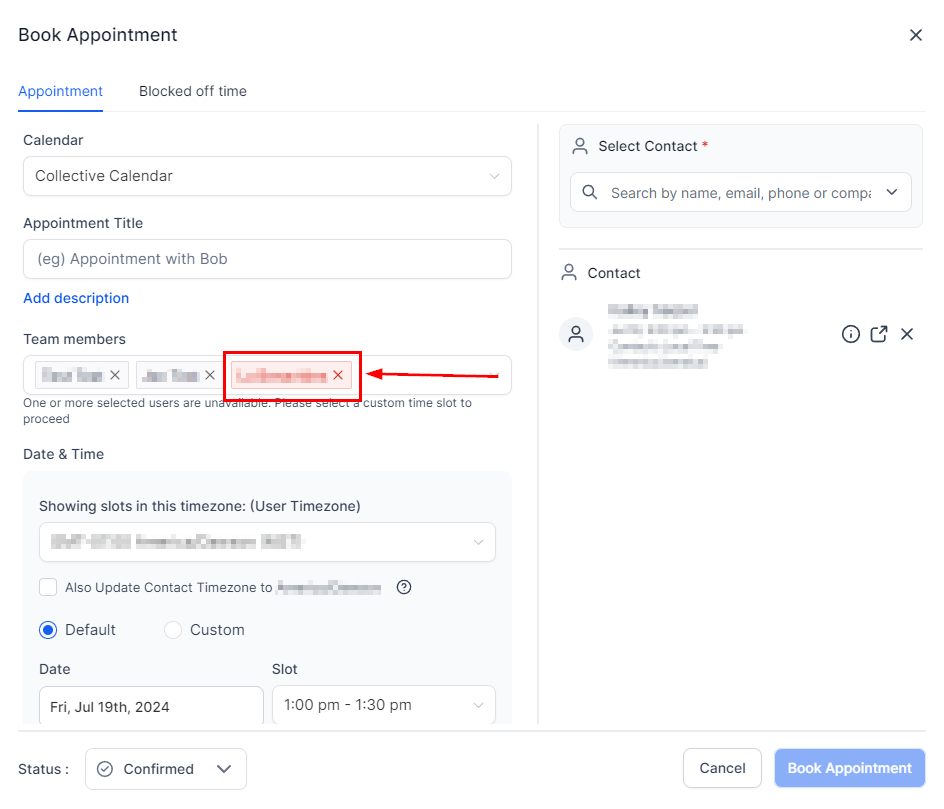
All calendar members will be selected by default, you can click on the X sign next to their name to remove them.
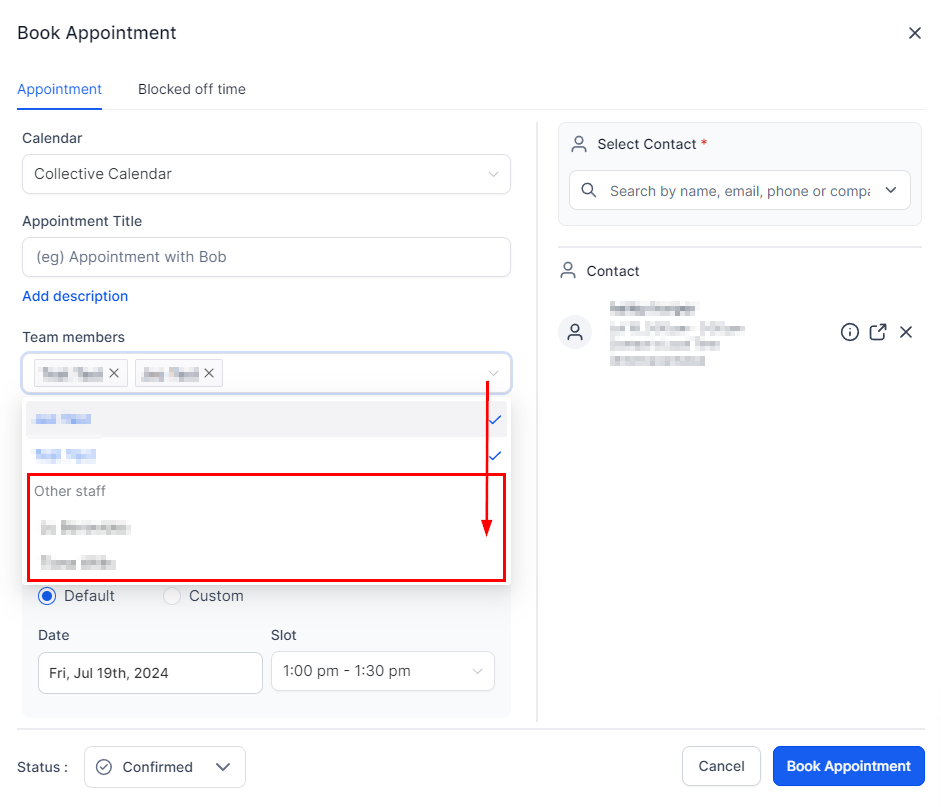
Under Other Staff, you can select any team members that aren’t part of the calendar.
If you select someone unavailable for the appointment the system will notify you and highlight their name in red. You can then switch the user or add a custom time slot.
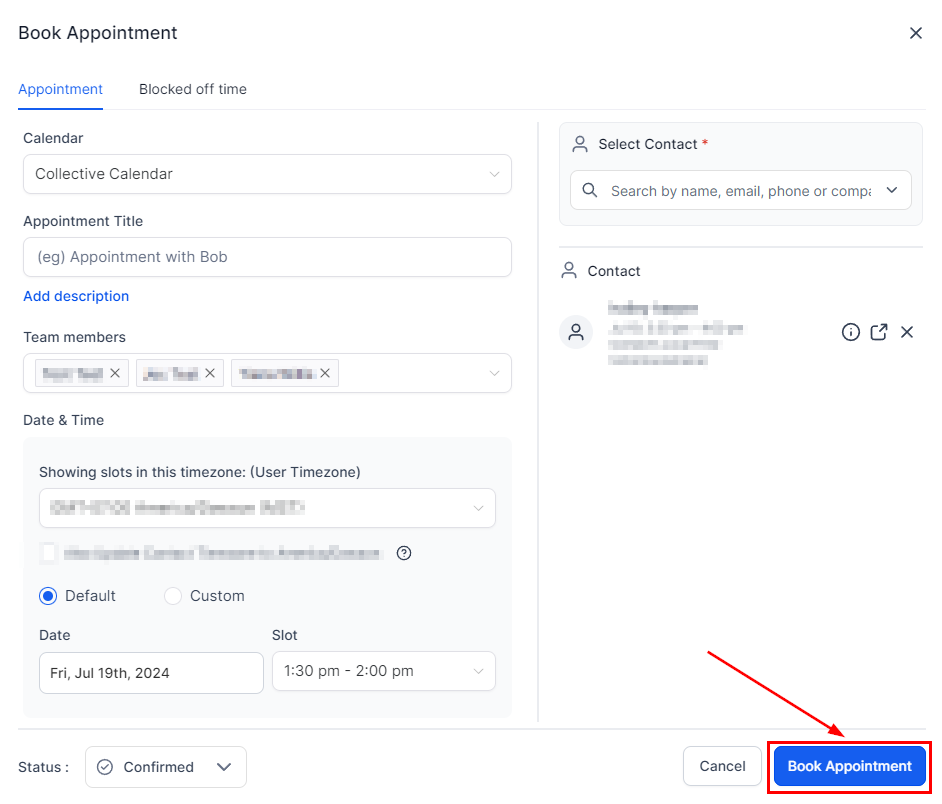
Once everyone is selected click on Book Appointment and Done!
Now you can make the most out of just one calendar, ensure you and your team have the flexibility you need, and add or remove teammates easily.