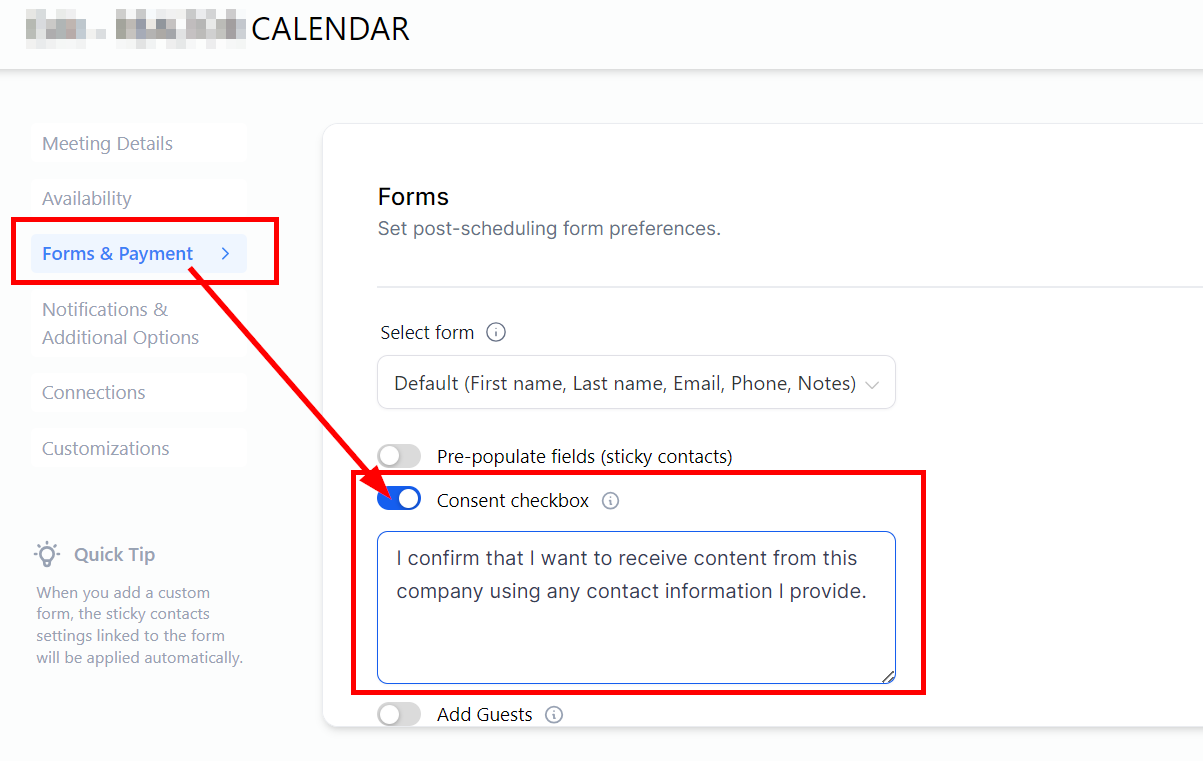
Consent Checkbox for A2P Compliance
Summary:
This section will teach you more about the Consent checkbox for your Calendar settings. This allows users to include consent when collecting phone information. Users can add, modify, or remove the Terms and Conditions element as required, tailoring it to their specific needs.
This section will teach you more about the Consent checkbox for your Calendar settings. This allows users to include consent when collecting phone information. Users can add, modify, or remove the Terms and Conditions element as required, tailoring it to their specific needs.
Activate the Consent Checkbox
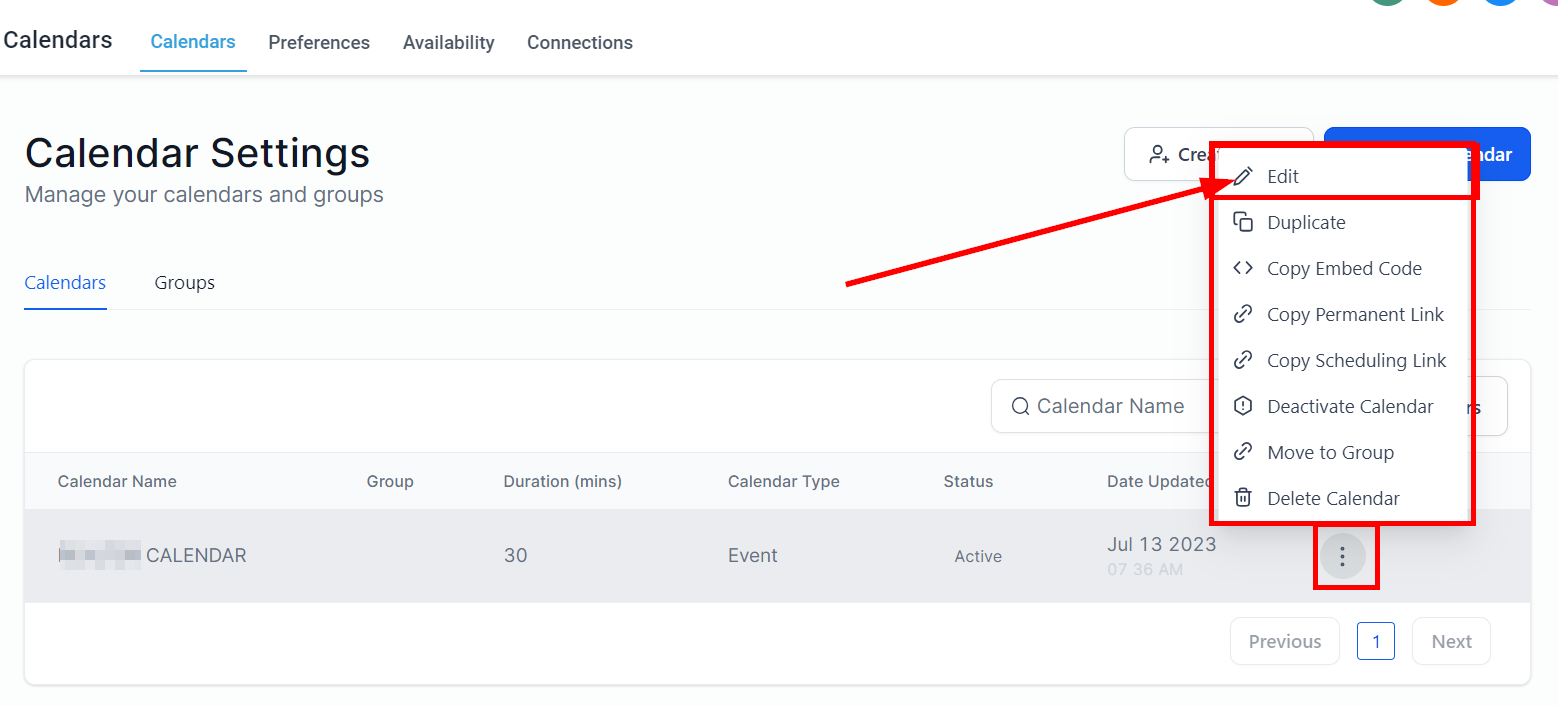
Navigate to the Calendar setting, click on the 3-dot menu, and select Edit.
In the Forms & Payment section, toggle on the consent Checkbox tab, and you can edit the info in the default consent form.