
Video Element
Summary:
Adding videos to your emails is a great way to create a multimedia experience to your email events and campaigns.
Remember the days when sending emails meant only using plain text? Those days are long gone! With your CRM taking your email communications to the next level is now easier than ever.
You can easily include videos, ensuring that all your email conversations stand out from the crowd. So end your dependence on simple text and start enriching your emails to better connect with more customers.
Here's where you can find this option of adding a video element in your email builder.
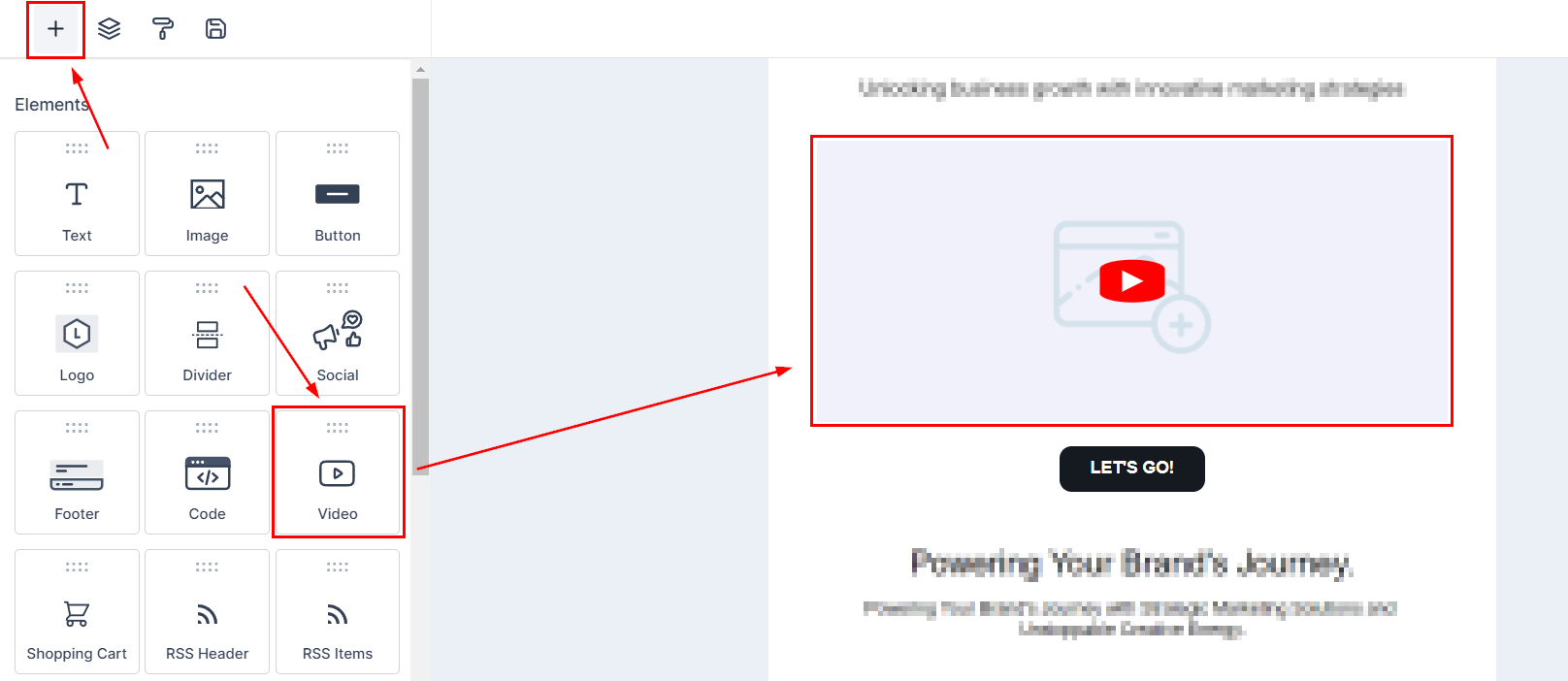
Drag and drop the video element
Editing Video Element
Click on the video element to open its settings, this will let you customize it.
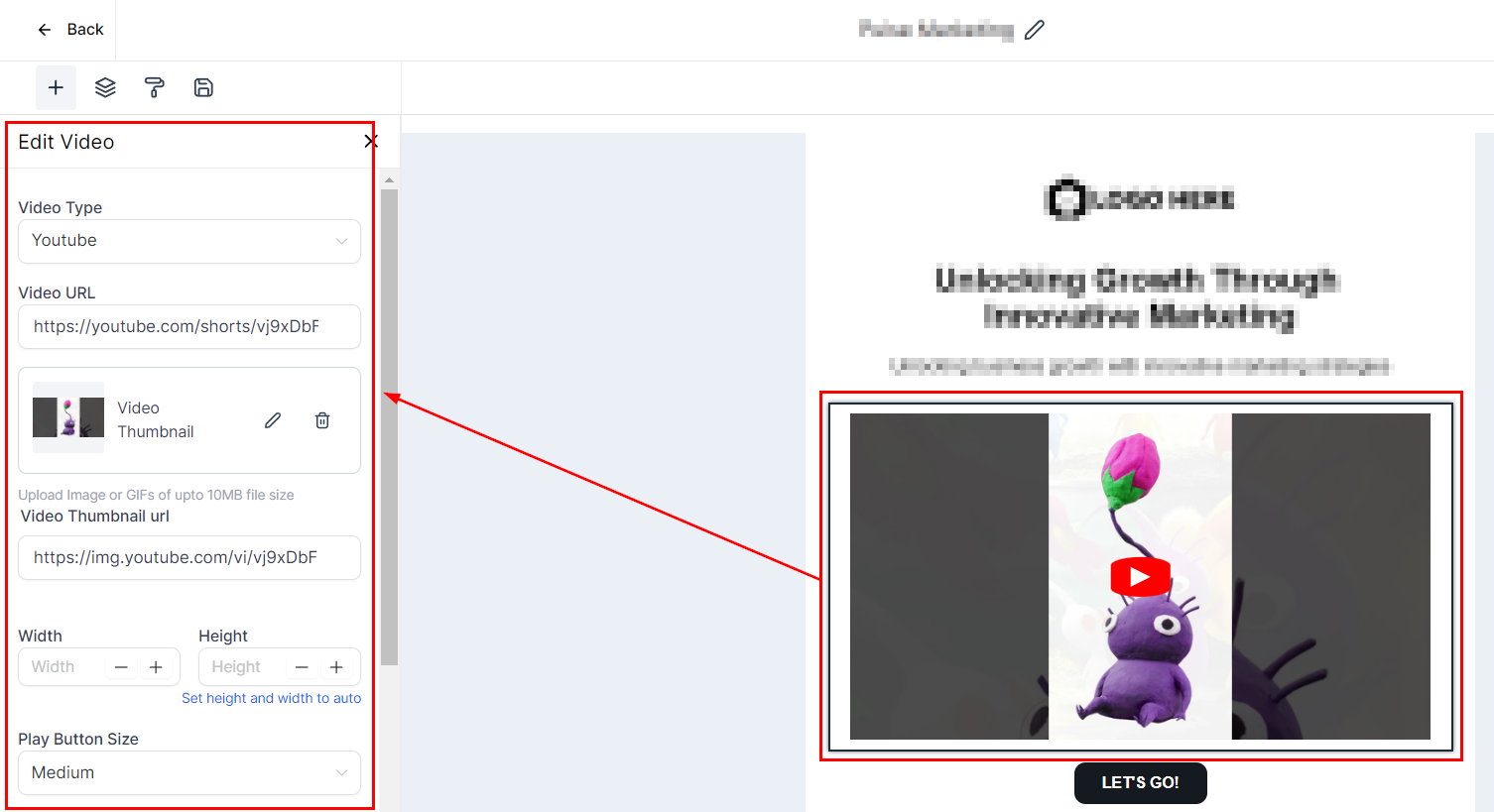
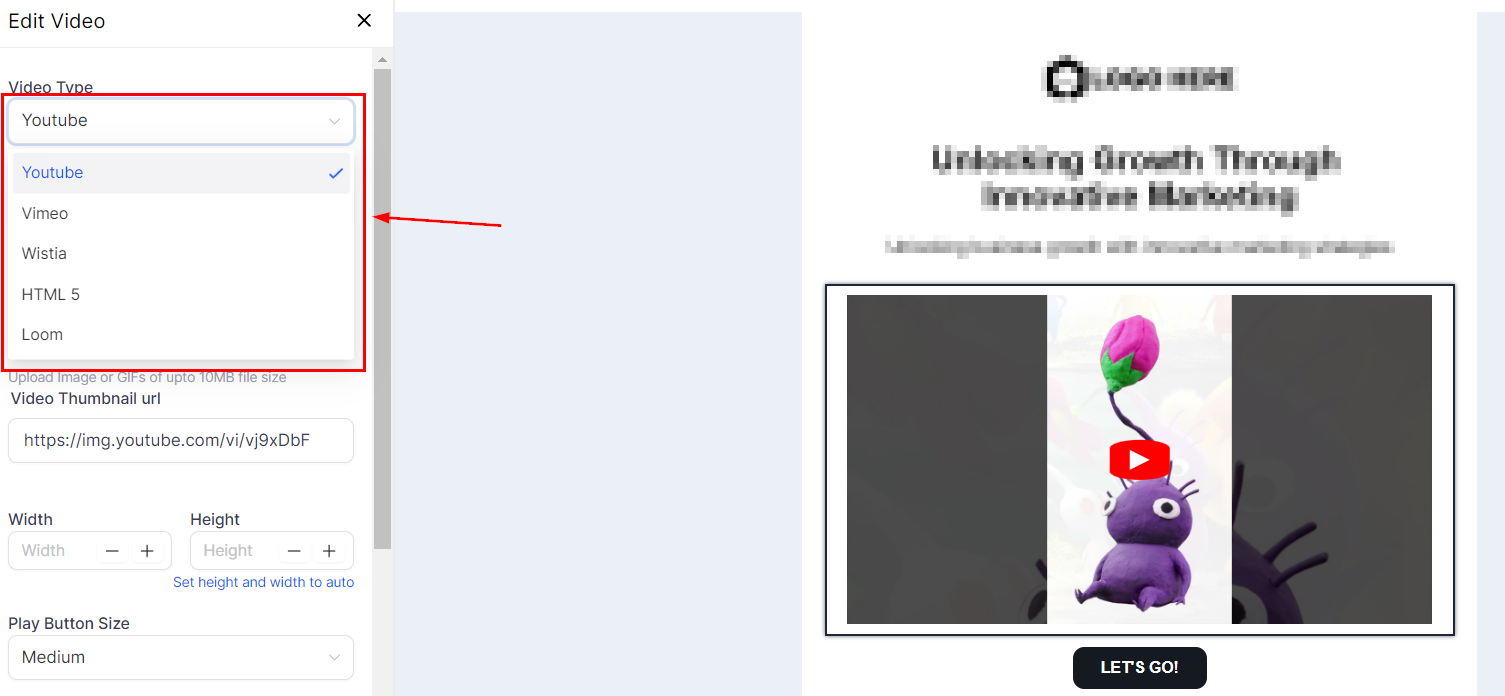
To start select the Video Type this will be the video host so YouTube, Vimeo, etc. For YouTube, you can add Shorts as well as long-form videos.
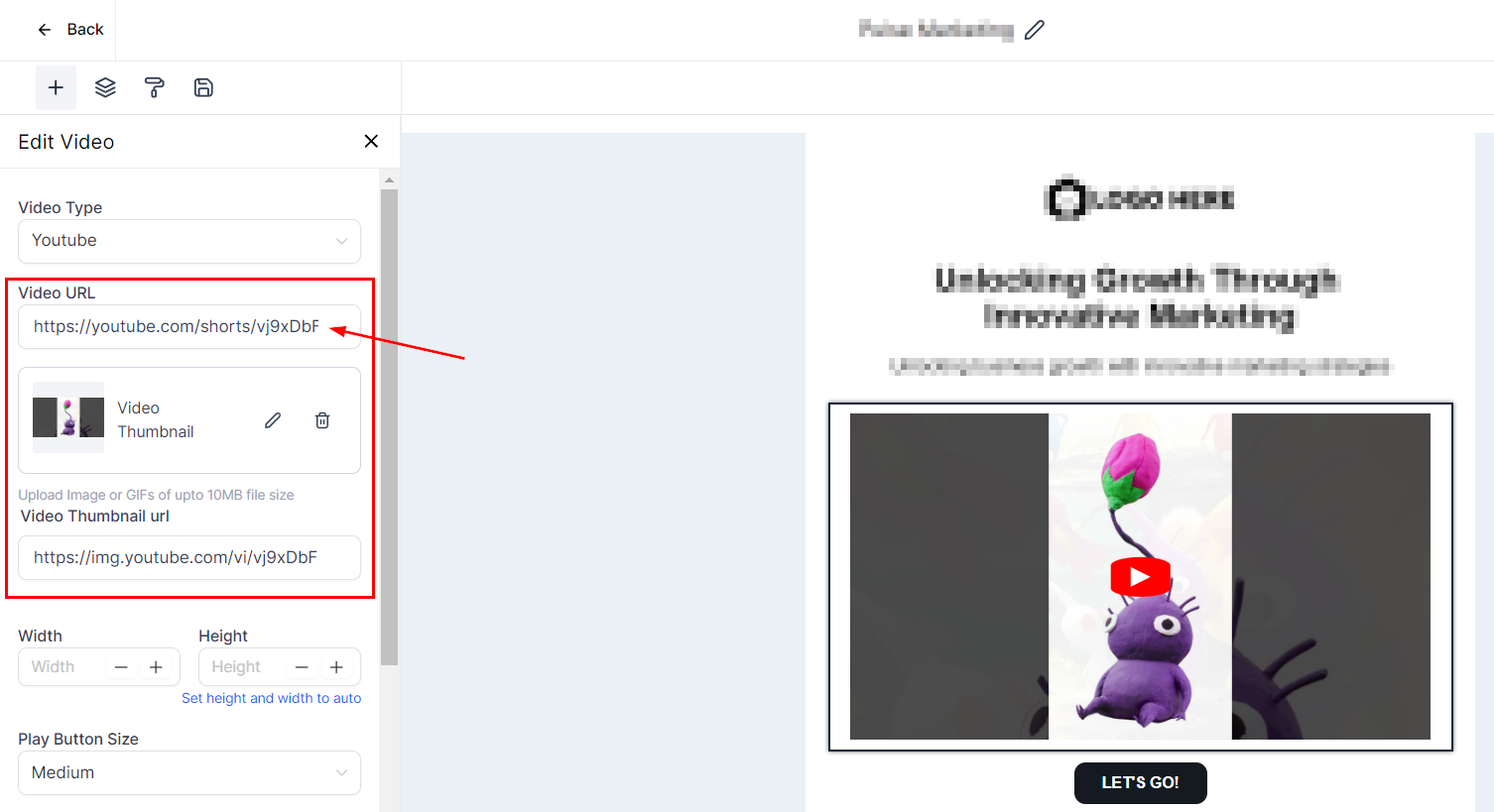
Add the video URL, this will automatically pull the video thumbnail and thumbnail URL but you can customize this if needed.
Along with adjusting the size, height, width, and play button for added control. Don't forget about setting the opacity and padding to get your exact look. All these editing options are standard with our email builder.

And there you have it, now you can spice up your emails with videos that represent you and your brand.