
Paid Groups
Summary:
The "Paid Groups" feature allows community administrators and owners to monetize their online communities, offering both Public and Private groups where users can pay for access to exclusive content and features. This system supports creators by providing fair access to all users while generating revenue.
The "Paid Groups" feature allows community administrators and owners to monetize their online communities, offering both Public and Private groups where users can pay for access to exclusive content and features. This system supports creators by providing fair access to all users while generating revenue.
Public vs. Private Groups
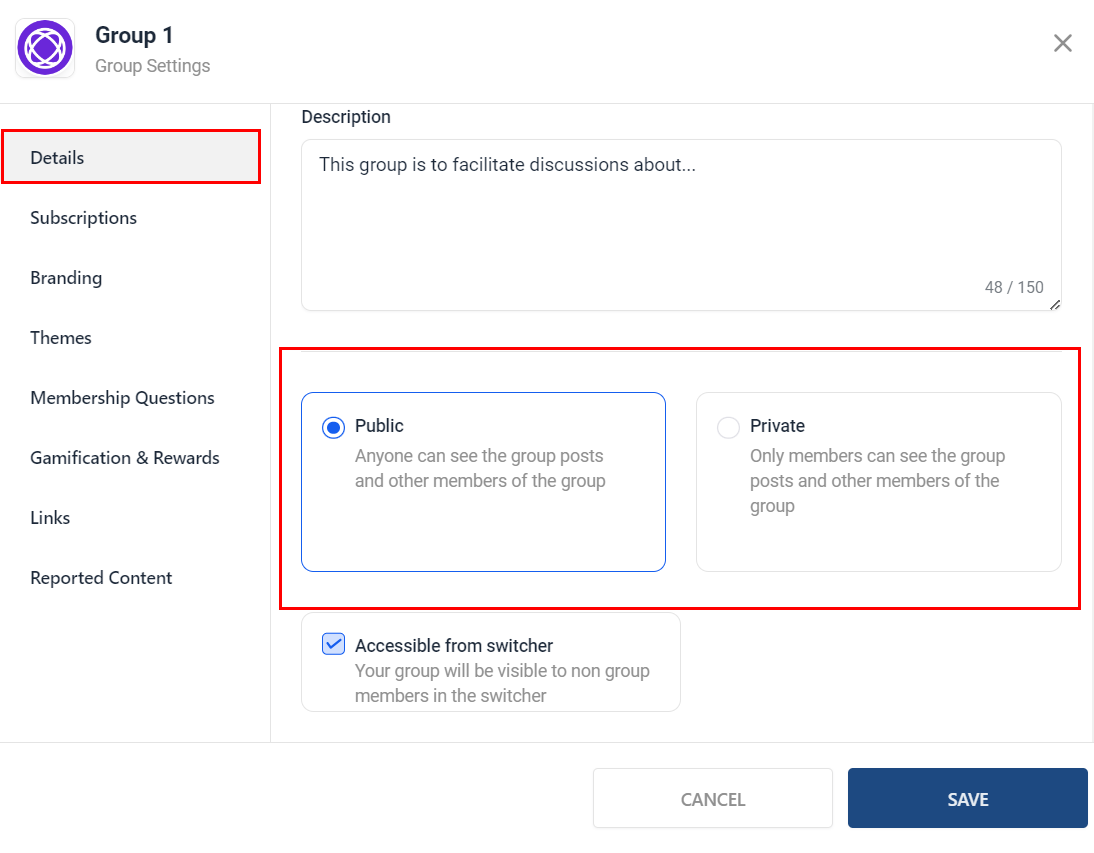
Administrators can choose between Public groups, which are open to everyone, and Private groups, limited to specific members. This setting is configurable within the group's settings.
One-Time Payment Option
Users can gain unlimited access to a group's content and features through a one-time payment. To set this up:
- Navigate to Settings > Subscriptions within your Group.
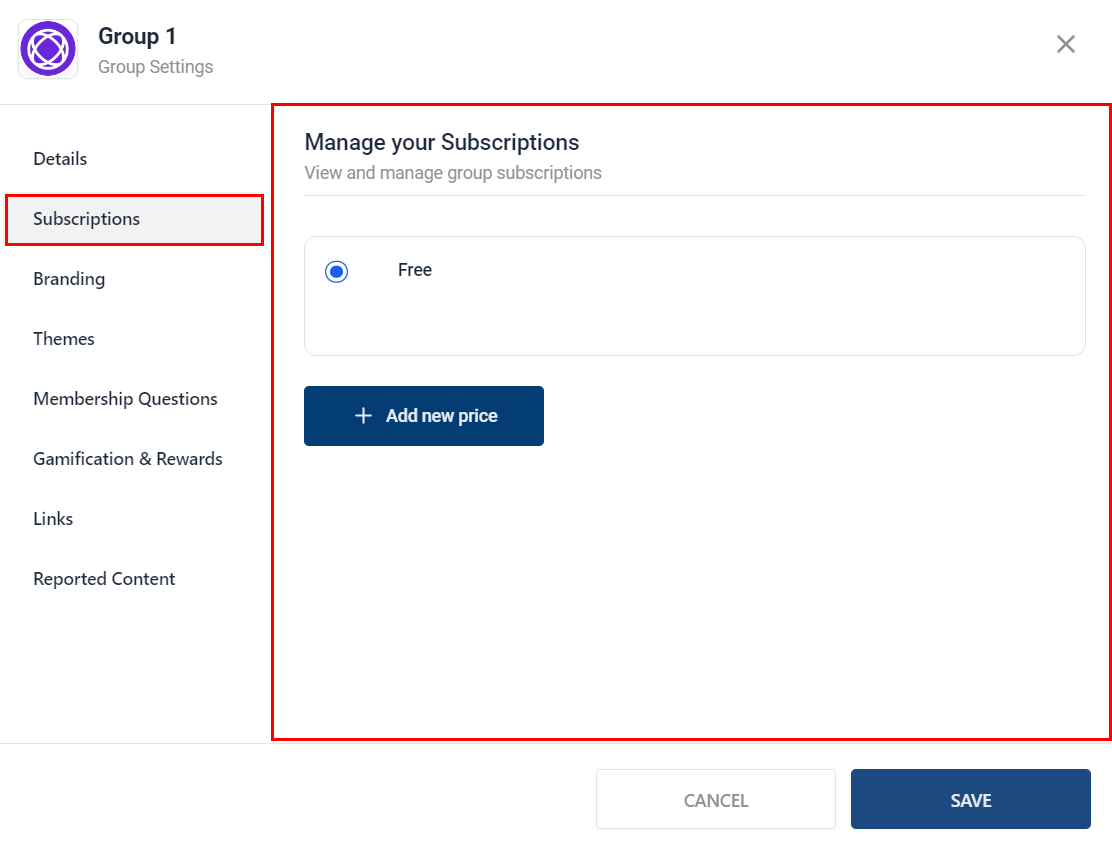
2. Click Add New Price and specify the payment amount.


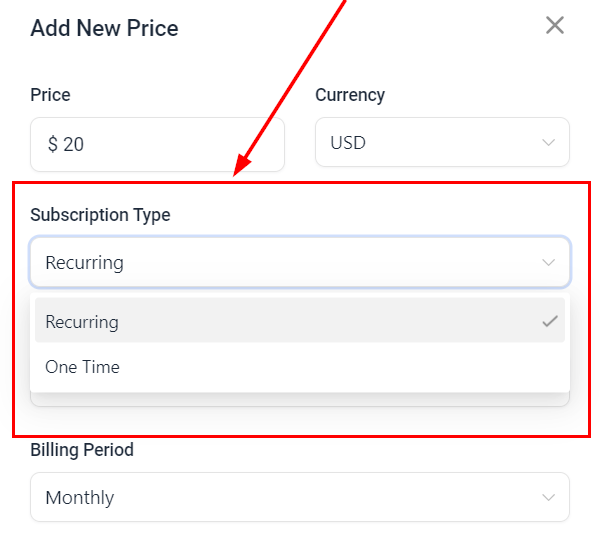
3. Select One-Time Payment from the Subscription Type dropdown.

The "Trial Days" and "Billing Period" fields will be disabled and unavailable for configuration when the subscription is set to a one-time payment.
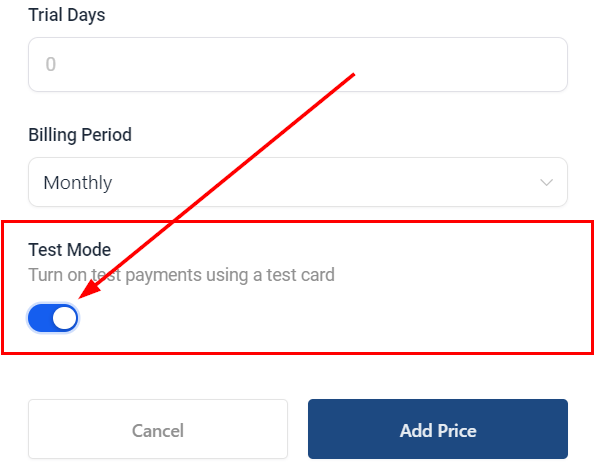
4. Enable Test Mode to simulate the payment process without using real money.
The group description will indicate the one-time payment requirement to potential members.
Click the Add Price button, then Save to finalize the group with a one-time fee.
Recurring Subscription Option
Alternatively, users can subscribe to a group while paying for continued access. To set up a recurring subscription:
- Navigate to Settings > Subscriptions within your Group.
2. Click Add New Price and specify the payment amount.
3. Choose Recurring Subscription from the Subscription Type dropdown.
4. Set the trial days (if applicable) and select the billing period (Monthly or Annual).

5. Enable Test Mode to test the payment process.

The group description will detail the terms of the recurring subscription.
Click the Add Price button, then Save to finalize the group with a recurring subscription.
Granting Access
To manage member access after payment:
- Private Groups: Go to the Members tab and approve or deny membership requests within the “Requested” section.
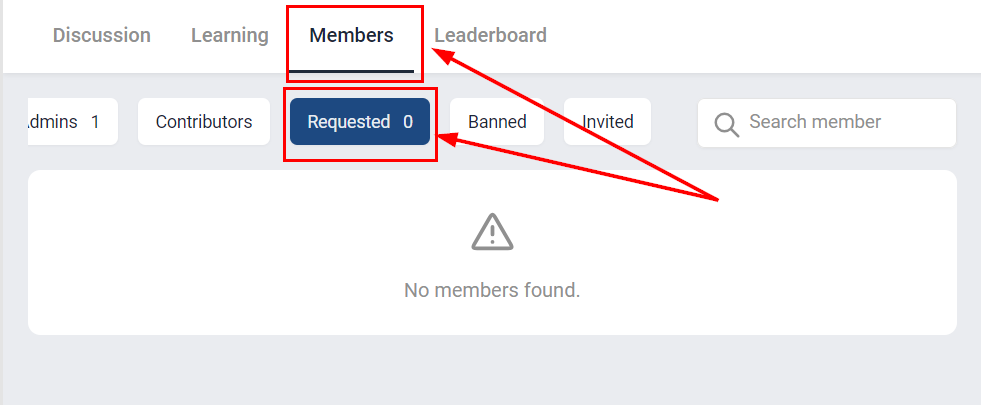
- Public Groups: Users gain immediate access after payment.
Notifications
Both administrators and users will receive email notifications for payments, membership requests, and approvals, ensuring all parties are informed throughout the process.
Cancellations and Refunds
Members can cancel their subscriptions and request refunds through CRM Payments or Stripe. When a subscription is canceled:
- Users receive a cancellation confirmation email.
- Admins and Owners receive a cancellation notification email.
- The user is automatically removed from the group.
Restoring Deleted Contact Cards
If a user's contact card is deleted and then restored, they will regain access to the group without needing to repay.
Charge Amounts
Minimum and maximum charge amounts vary by currency. Refer to the Stripe documentation for specific limits.
By utilizing the Paid Groups feature, community administrators can efficiently manage access and monetize their content, ensuring a streamlined and profitable experience for both creators and users.