
Private Channels in Communities
Summary:
How to Create and Use Private Channels in Communities
Your communities are a hotspot for activity among like-minded individuals, you can leverage them to create brand advocates or maximize audience engagement with your products. However, there might be some pieces of information that you want to share with smaller parts of your communities.
With Private Channels you can keep content private within your groups, creating a sense of exclusiveness and importance to the channel. This also allows you to limit the scope of what is discussed, have more control over the conversation since the participant number is lowered and center the channels intent to your liking
Setting Private Channels
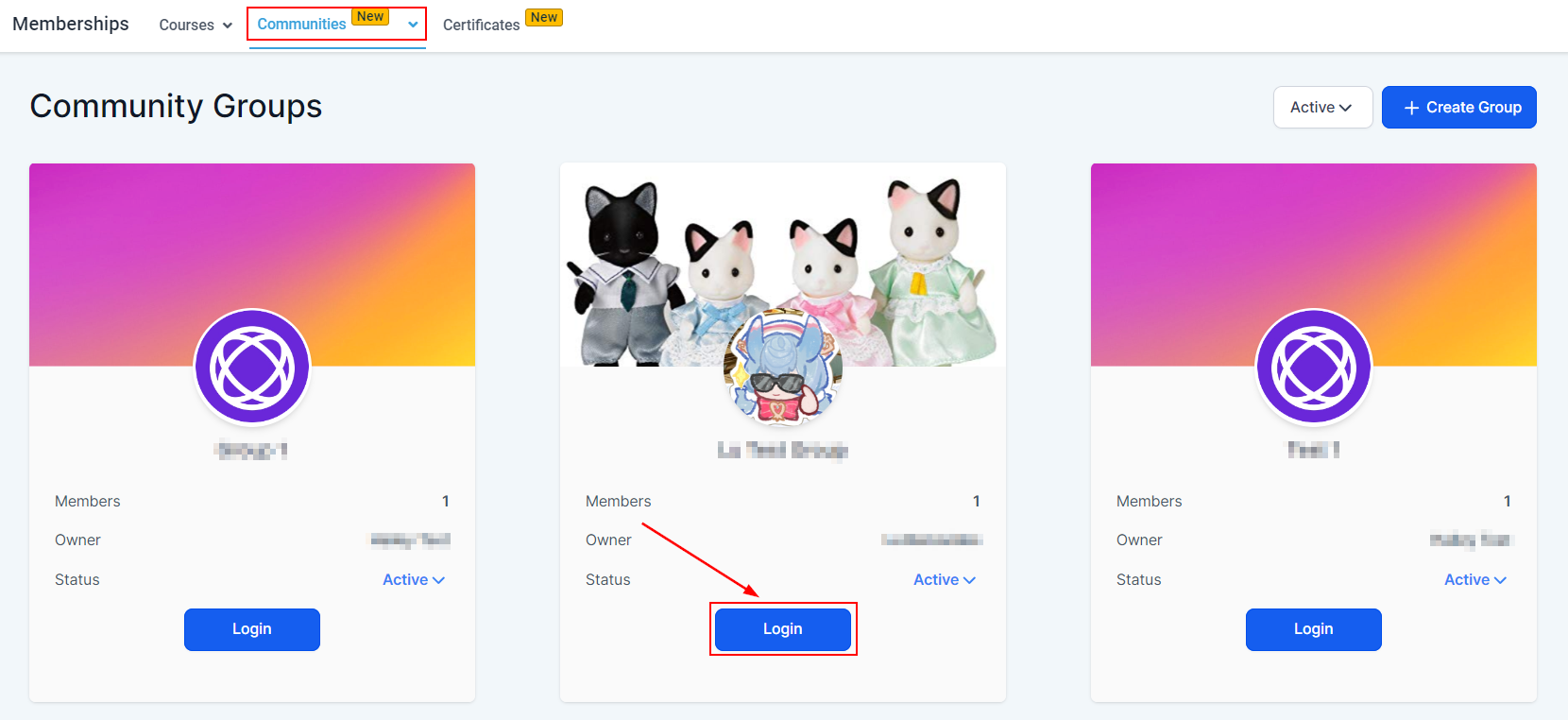
Start by logging into your community. You can create private channels or convert existing channels if you're a group admin or an owner.
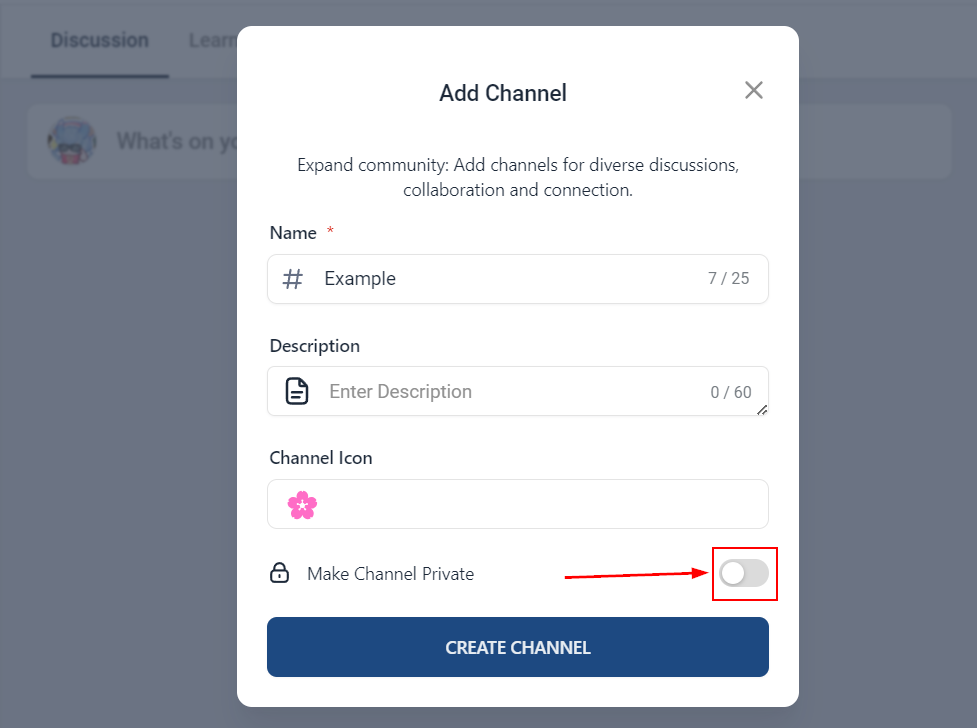
When creating a new channel you can make it private by toggling the option.
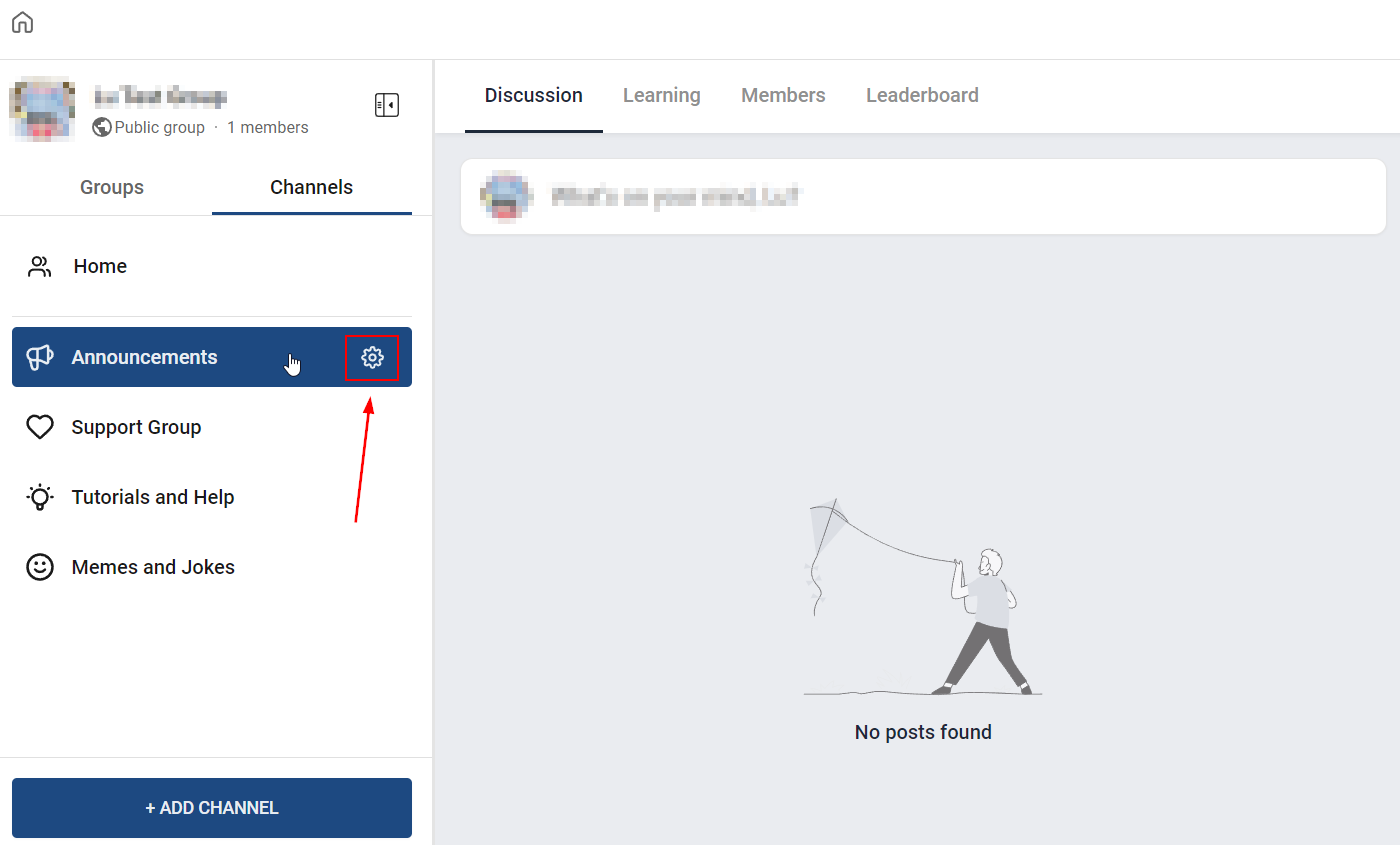
For already existing channels you can switch them to private by switching to that channel and hovering over the name, this will show you a gear icon to edit the settings.
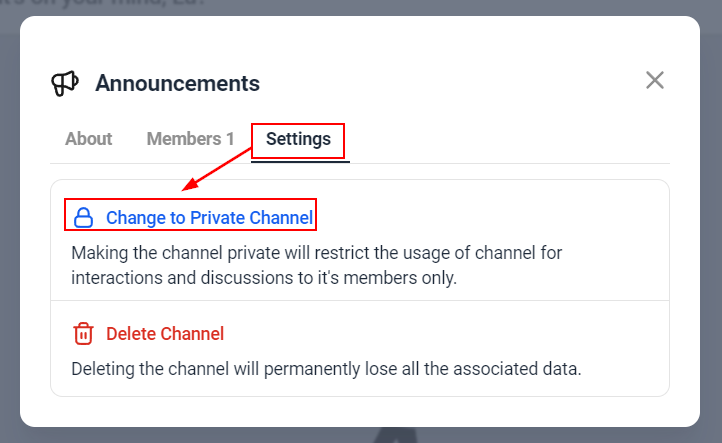
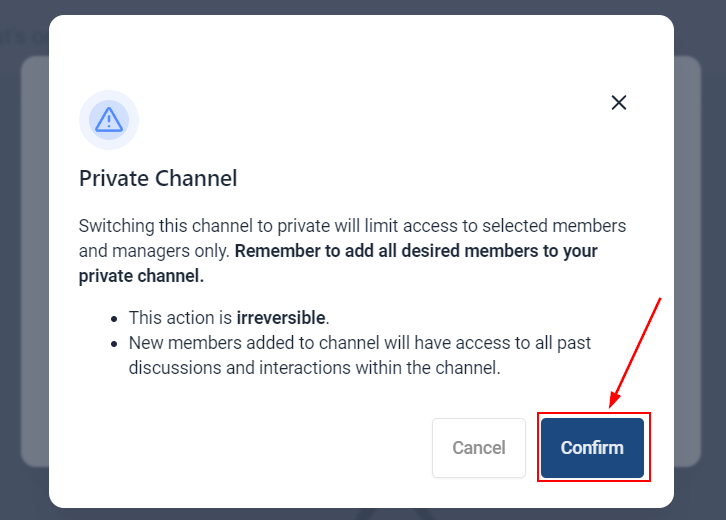
Inside the pop-up window access the settings. Click on Change to Private Channel and then click Confirm.
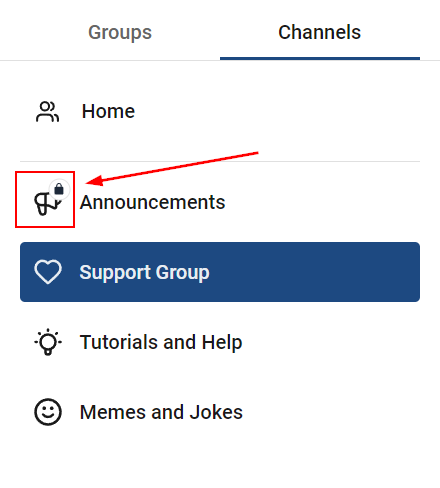
You can easily identify channels you've made private since they will have a lock icon next to the channels icon.
There you have it! Now you can make private channels and ensure you keep the sense of belonging, brand loyalty, and exclusiveness up. This tool will help you with any tiered service since you can give access only to those members and use the enhanced privacy and limited participation to ensure you have focused and specified discussions.